 AMWT
AMWTTools for your files, photos and drives, starting with data recovery.
The AMWT desktop app starts with Data Recovery Pro. Plug a card or USB drive into your Mac or PC and it searches it for deleted photos, videos and other files. It only reads the card, and you see each file it finds before you recover anything.
The Windows version isn't code-signed yet. If Windows says "Windows protected your PC", click More info, then Run anyway.


Scanning and recovery happen on your computer. We never see your photos or their names.
Desktop app
What's in the desktop app
The desktop app can reach whole cards and drives, which a website can't. Data Recovery Pro is in it today. These four tools come in the next version.
- Secure EraseWipes a card or drive so nothing on it can be recovered, for when you sell or give it away.Next version
- Repair FilesFixes photos, PDFs and Office documents that won't open, and saves the fix as a new copy.Next version
- Find DuplicatesFinds exact copies of files across your folders and moves the extra ones to the Trash.Next version
- Task ManagerShows what's running on your computer and lets you end a program that has stopped responding.Next version
- Read-only scanningData Recovery Pro opens the card read-only. Only Secure Erase ever writes to a drive, and only after you type ERASE.
- On your computerScanning, previews and recovery all run on your Mac or PC. Nothing on the card is uploaded.
- Previews firstYou see each file and whether it opens before you recover anything.
How it works
How a recovery goes
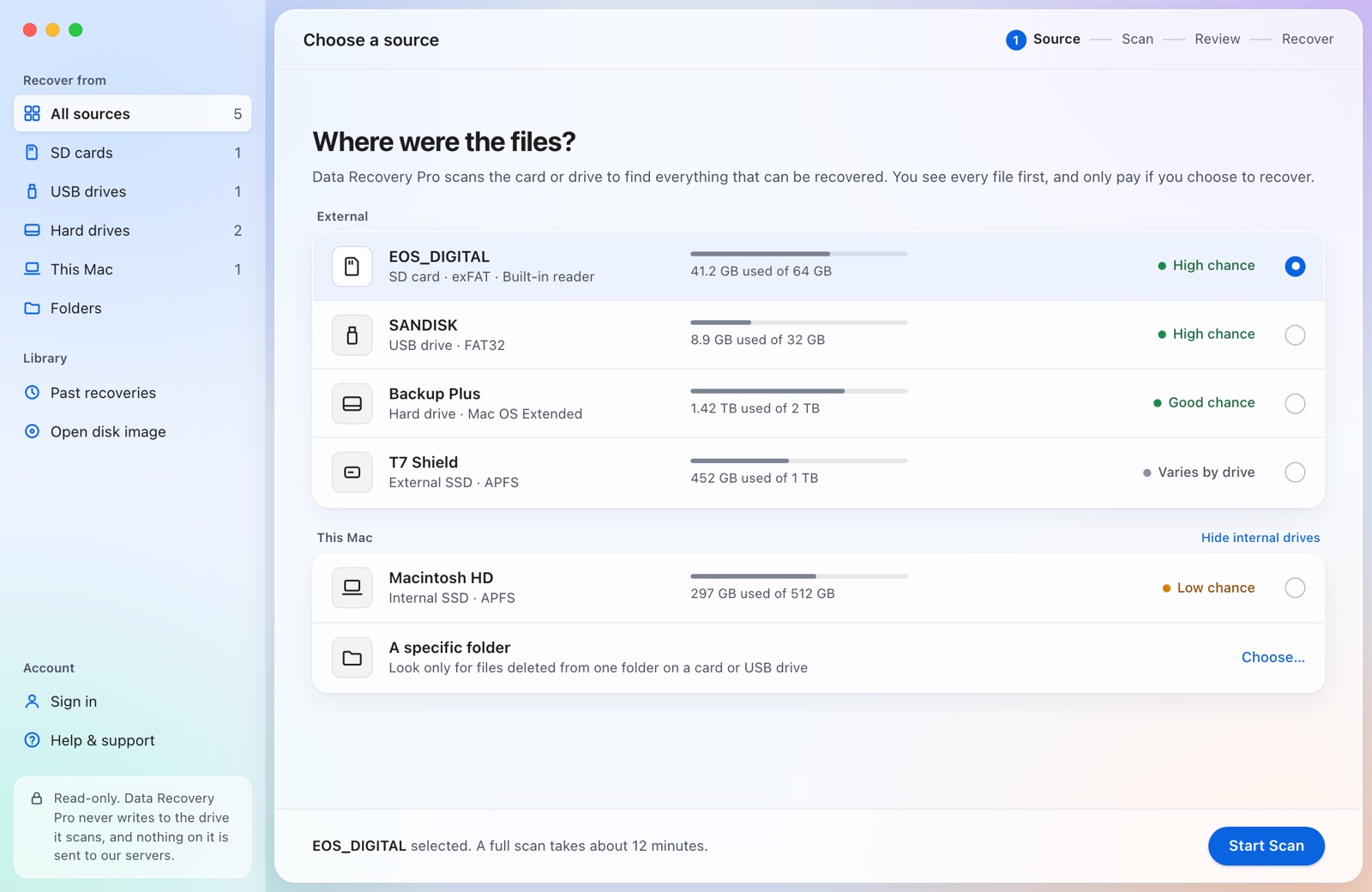
Choose the card
Plug it into your Mac or PC and pick it from the list.
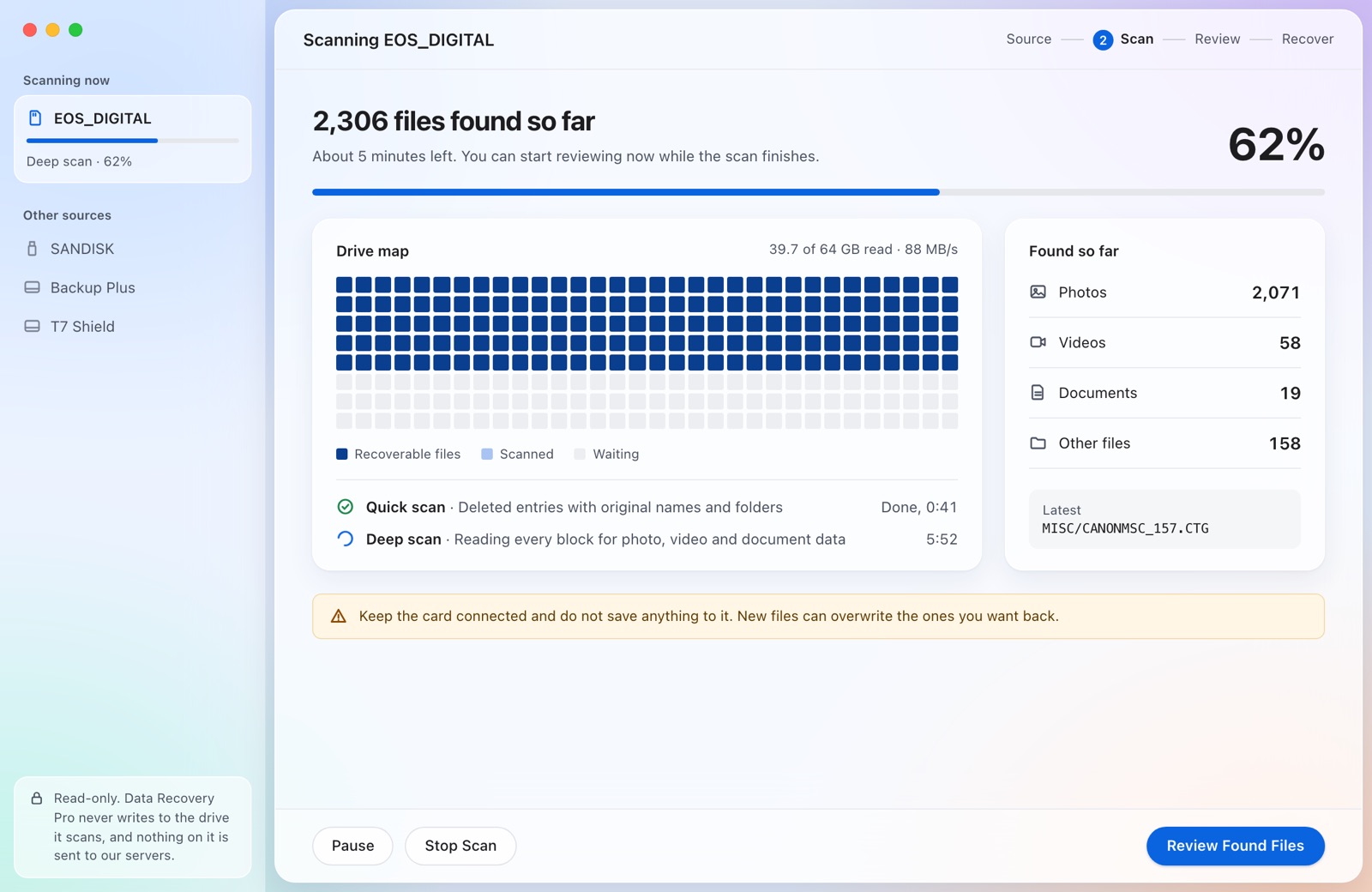
Scan and preview
Files appear while the scan runs. Open any photo full size.
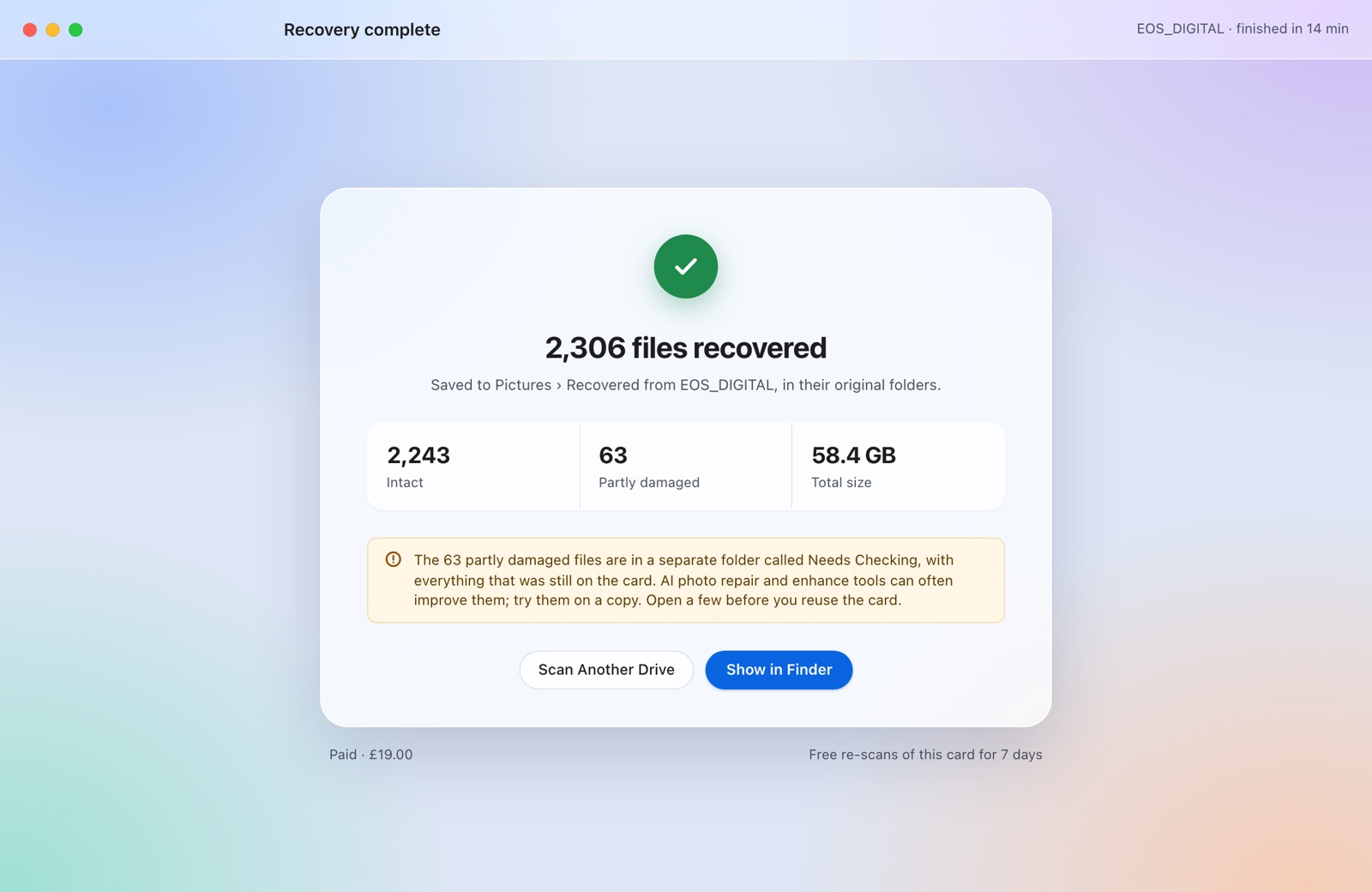
Recover to your computer
Pick the files you want. They go to a folder on your computer, never back to the card.


Online tools
The online tools are moving here
The browser tools for images, PDFs, video and text will be back at this address. Until then, this page has the desktop app.